
Bulk Loading Leave Transactions
The EzyTime Portal allows a HR Admin user to easily load Leave Transactions for all, selected Employees, or Teams.
You will find this option under the Leave Calendar Menu > Bulk Load

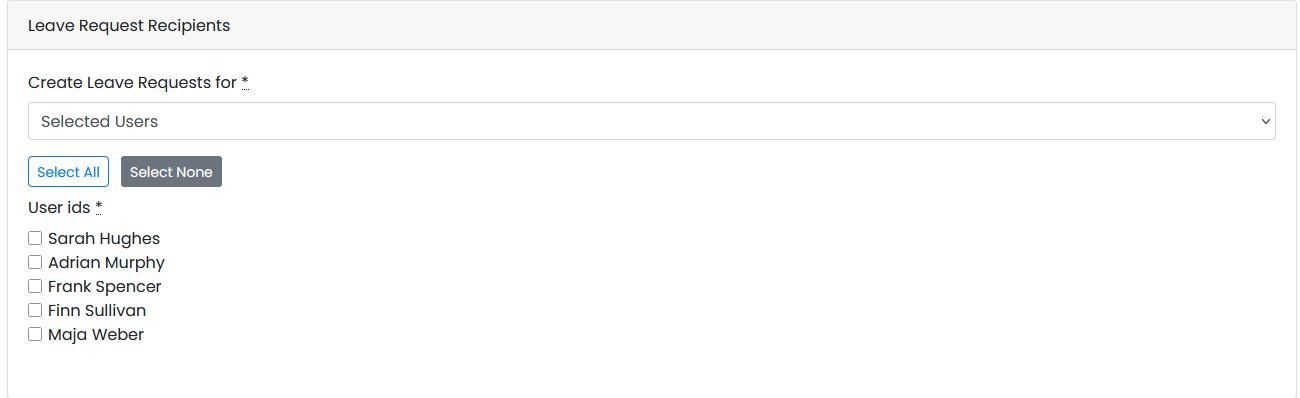
Leave Request Recipients?
This section lets you select the Employees or Teams that you wish to record the Leave Transaction for by selection one of the options under Create Leave Requests for or you can Select All and then de-select certain individuals.
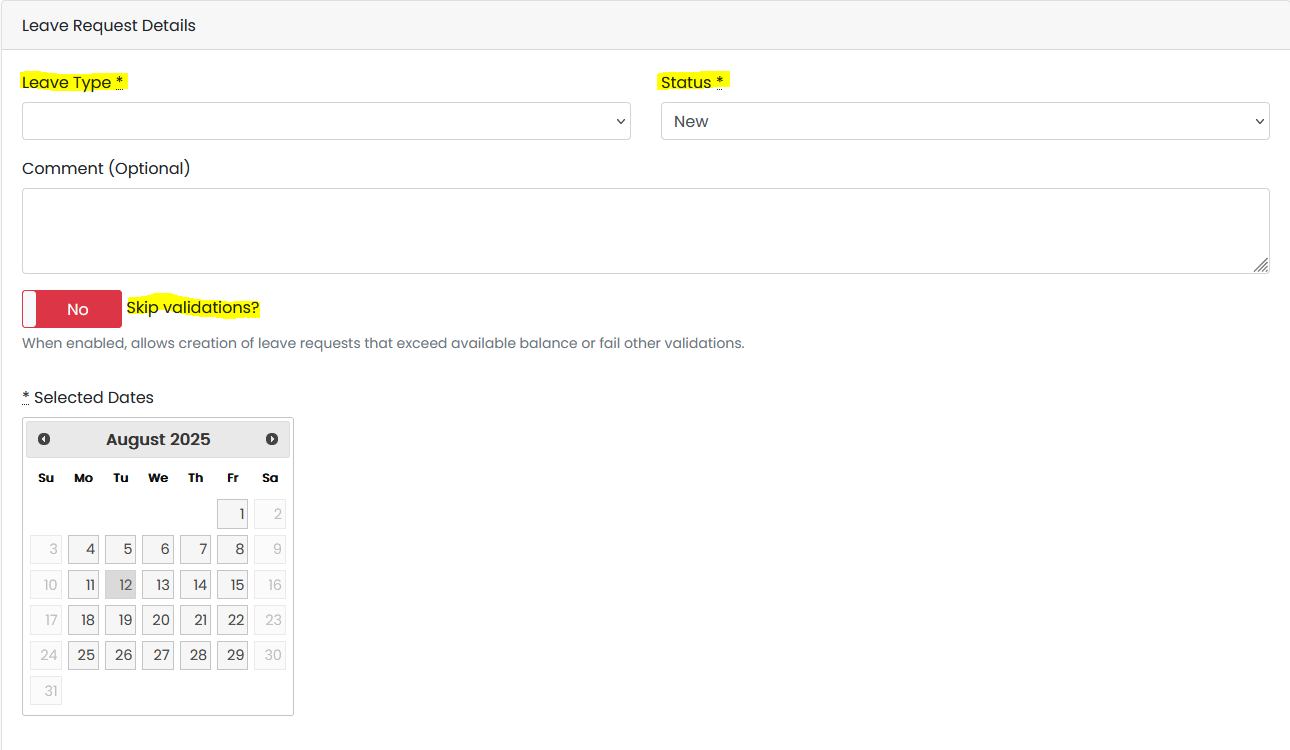
Leave Request Details
This section lets you select the Leave Type to use, and the Status lets you determine if the transaction is Requested (New) or Approved, and if you wish to Skip Validation.
Things to Note:
- Each Leave Request will default to to the Employee's Current Manager.
- If you select 'New' then the Manager will be required to Approve it.
- If you select 'Approved' then the Manager does not need to Approve it.
- Whole Day Requests Only.
- If Skip Validation is set to 'No', then all validation checks are respected, such as Balance Check, use X Leave Type first etc. If set to 'Yes' then the transaction will be forced through regardless of balance but will still go through the normal Balance Check when it hits the payroll. If you want to force transactions through the payroll, please let us know in advance so we can update some settings.
- No e-mail notifications are sent in relation to Bulk Leave items.